
Choosing hardware for local AI shouldn’t require a PhD in GPU architecture. The number that decides most of it is memory: a model has to fit before speed matters. Here we compare three common edge platforms on their vendors’ own spec pages, checked on 2026-10-09.
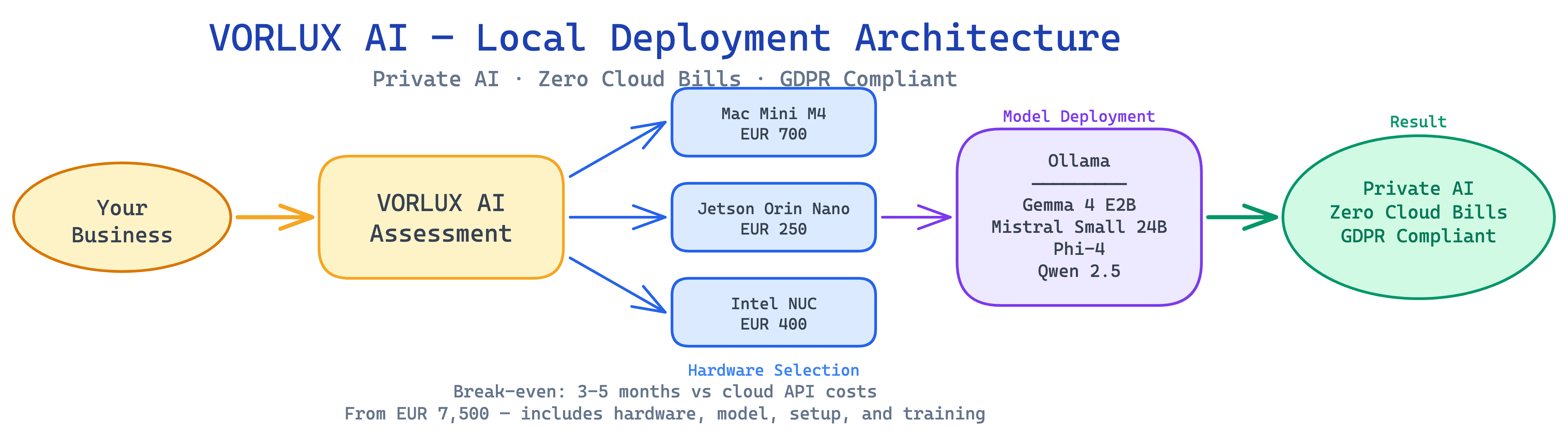
The Three Contenders
NVIDIA Jetson Orin Nano Super
The Jetson Orin Nano Super is NVIDIA’s small edge AI board, built for inference at low power. It’s not a general-purpose desktop.
Specs (from NVIDIA’s developer kit page, checked 2026-10-09):
- AI performance: 67 INT8 TOPS (the earlier Orin Nano kit was rated 40; owners get the Super figures with a software update)
- GPU: NVIDIA Ampere, 1024 CUDA cores and 32 Tensor Cores
- CPU: 6-core Arm Cortex-A78AE
- Memory: 8 GB LPDDR5, 102 GB/s
- Storage: microSD slot + external NVMe
- Power: 7-25 W
- OS: JetPack (Ubuntu-based Linux)
What it can run: NVIDIA’s Jetson AI Lab benchmarks (MLC, INT4) report Llama 3.2 3B at 43.07 tok/s, Gemma 2 2B at 34.97, Qwen2.5 7B at 21.75, Llama 3.1 8B at 19.14 and Gemma 2 9B at 9.21 tok/s. So 7-8B models do run, but the 8 GB is shared with the OS, which leaves little room for context or a second model. It shines in vision work with DeepStream and TensorRT.
Apple Mac mini M4 (2024)
The Mac mini M4 uses unified memory shared by CPU and GPU, so a model doesn’t need copying to a separate graphics card.
Specs (from Apple’s Mac mini (2024) tech specs, checked 2026-10-09):
- CPU: 10-core M4 (4 performance + 6 efficiency)
- GPU: 10-core
- Neural Engine: 16-core; Apple rates the M4 Neural Engine at 38 trillion operations per second
- Memory: 16 GB unified (base), configurable to 24 GB or 32 GB
- Memory bandwidth: 120 GB/s
- Storage: 256 GB SSD (base), up to 2 TB
- Power: 155 W maximum continuous
- OS: macOS (Ollama, llama.cpp and MLX run natively)
M4 Pro configuration: 12-core CPU, 16-core GPU (20 optional), 24 GB unified memory configurable to 48 GB or 64 GB, 273 GB/s. Apple has since refreshed the Mac mini line, so check the current specs page before you buy.
Intel Core Ultra mini PC (ex-NUC class)
A mini PC with an Intel Core Ultra chip is a general-purpose computer with a small built-in NPU. Intel handed the NUC line to ASUS in 2023, and many brands sell similar boxes.
Reference chip: Intel Core Ultra 7 155H (from Intel’s spec page, checked 2026-10-09):
- CPU: 16 cores, 22 threads
- NPU: Intel AI Boost, 11 INT8 TOPS; 33 TOPS for CPU + GPU + NPU combined
- Memory: up to 96 GB DDR5 or LPDDR5/X
- Power: 28 W base, 115 W maximum turbo
- OS: Windows 11 or Linux
What it can run: Ollama runs models on the CPU here, so the memory you fit decides the model size and the CPU decides the speed. Expect it to be slower per token than the Jetson’s GPU or the Mac. Better as a general server that also runs AI.
Head-to-Head Comparison
| Spec | Jetson Orin Nano Super | Mac mini M4 | Mac mini M4 Pro | Core Ultra 7 155H mini PC |
|---|---|---|---|---|
| AI TOPS (vendor) | 67 INT8 | 38 (Neural Engine) | 38 (Neural Engine) | 11 NPU / 33 total |
| Memory for models | 8 GB shared | 16-32 GB unified | 24-64 GB unified | Up to 96 GB DDR5 (CPU) |
| Memory bandwidth | 102 GB/s | 120 GB/s | 273 GB/s | Depends on RAM fitted |
| Power (vendor) | 7-25 W | 155 W max | 155 W max | 28 W base, 115 W turbo |
| OS | Linux (JetPack) | macOS | macOS | Windows/Linux |
Sources: the vendor pages linked above, checked 2026-10-09. We left prices out: they change by configuration and month, so check the vendor store on the day you buy.
What Fits Where
A model’s Ollama download size is a good floor for the memory it needs. Add a few GB for context and the operating system. Sizes below are the default Q4 builds on ollama.com/library, checked 2026-10-09:
| Model | Download | Fits on |
|---|---|---|
| gemma2:2b | 1.6 GB | All four |
| gemma2:9b | 5.4 GB | Mac mini 16 GB+, mini PC 16 GB+; Jetson at its limit |
| phi4 (14B) | 9.1 GB | Mac mini 16 GB (tight), 24 GB+ comfortable; mini PC 16 GB+ |
| mistral-small (24B) | 14 GB | Mac mini 24-32 GB, M4 Pro, mini PC 32 GB+ (slow) |
| llama3.3 (70B) | 43 GB | M4 Pro 64 GB; mini PC 64 GB+ (very slow) |
flowchart TD
    TASK{"Main task?"}
    TASK -->|"Cameras, sensors"| JETSON["Jetson Orin Nano Super<br/>8 GB"]
    TASK -->|"Text, 7-14B models"| MINI["Mac mini M4<br/>16-32 GB"]
    TASK -->|"Text, 24-70B models"| PRO["Mac mini M4 Pro<br/>48-64 GB"]
TASK -->|"General server + AI"| PC["Core Ultra mini PC<br/>32-96 GB"]Our Recommendations
For computer vision and IoT: Jetson Orin Nano Super
If your use case is camera-based (warehouse monitoring, quality inspection, security), the Jetson’s GPU and NVIDIA’s DeepStream and TensorRT tools fit it best. For text, keep to 3-4B models so you have room for context.
For local LLM deployment: Mac mini M4 Pro, 48-64 GB
For SMEs running language models, this is our default. 48 GB holds Mistral Small 24B with room to spare; 64 GB is the configuration that holds a 70B model at Q4. macOS + Ollama is a smooth deployment path, and the box is small and quiet.
For testing local AI: Mac mini M4, 16-24 GB
The base model runs Gemma 2 9B and Phi-4: enough for summaries, support drafts and basic RAG. A good way to test local AI before you commit to a larger machine.
For a general server that also runs AI: Core Ultra mini PC
Choose this if you need Windows, lots of cheap RAM, or a box that doubles as a file server. Not our first choice for pure inference.
Getting Started
Whichever hardware you choose, the deployment path starts with Ollama:
# On Mac mini (macOS)
brew install ollama
ollama pull gemma2:9b      # 5.4 GB, 16 GB Mac mini
ollama pull mistral-small  # 14 GB, 24-32 GB Mac mini or M4 Pro

# On Jetson or a Linux mini PC
curl -fsSL https://ollama.com/install.sh | sh
ollama pull gemma2:2b      # 1.6 GB, fits in 8 GB
ollama pull phi4           # 9.1 GB, mini PC with 16 GB+
Then run ollama ps while a model answers: it shows how much memory the model really takes, which is the number to size against.
What We Deploy for Clients
Our usual starting point for a language-model client is a Mac mini M4 Pro with 48 GB running Ollama, with Mistral Small 24B for multilingual support and Gemma 2 9B for document processing. We confirm the size on the client’s own documents before ordering.
Setup, model tuning and integration are scoped and quoted per project. To compare the hardware cost with your current cloud bill, use our break-even guide and our cloud vs local AI cost analysis.
Related: Best Local LLM Models Q2 2026 | Kit Digital Grants
Sources: NVIDIA Jetson Orin Nano Super · Jetson AI Lab benchmarks · Apple Mac mini (2024) specs · Intel Core Ultra 7 155H · Ollama library
Next steps
- List the models your task needs, then match their download size to the memory column.
- Read about fine-tuning models on consumer hardware.
Related reading
- Fine-Tune AI Models on Your Own Hardware: The LoRA Guide for SMEs
- NPU vs GPU: Why Neural Processing Units Are the Future of Edge AI
- Quantization Explained: Run 70B AI Models on Consumer Hardware
Work with us
We size the model and the machine by measuring, not by guessing. If you want to see your own task running on real hardware, book a 15-minute call or see how we work in consulting.